Scheduled Jobs
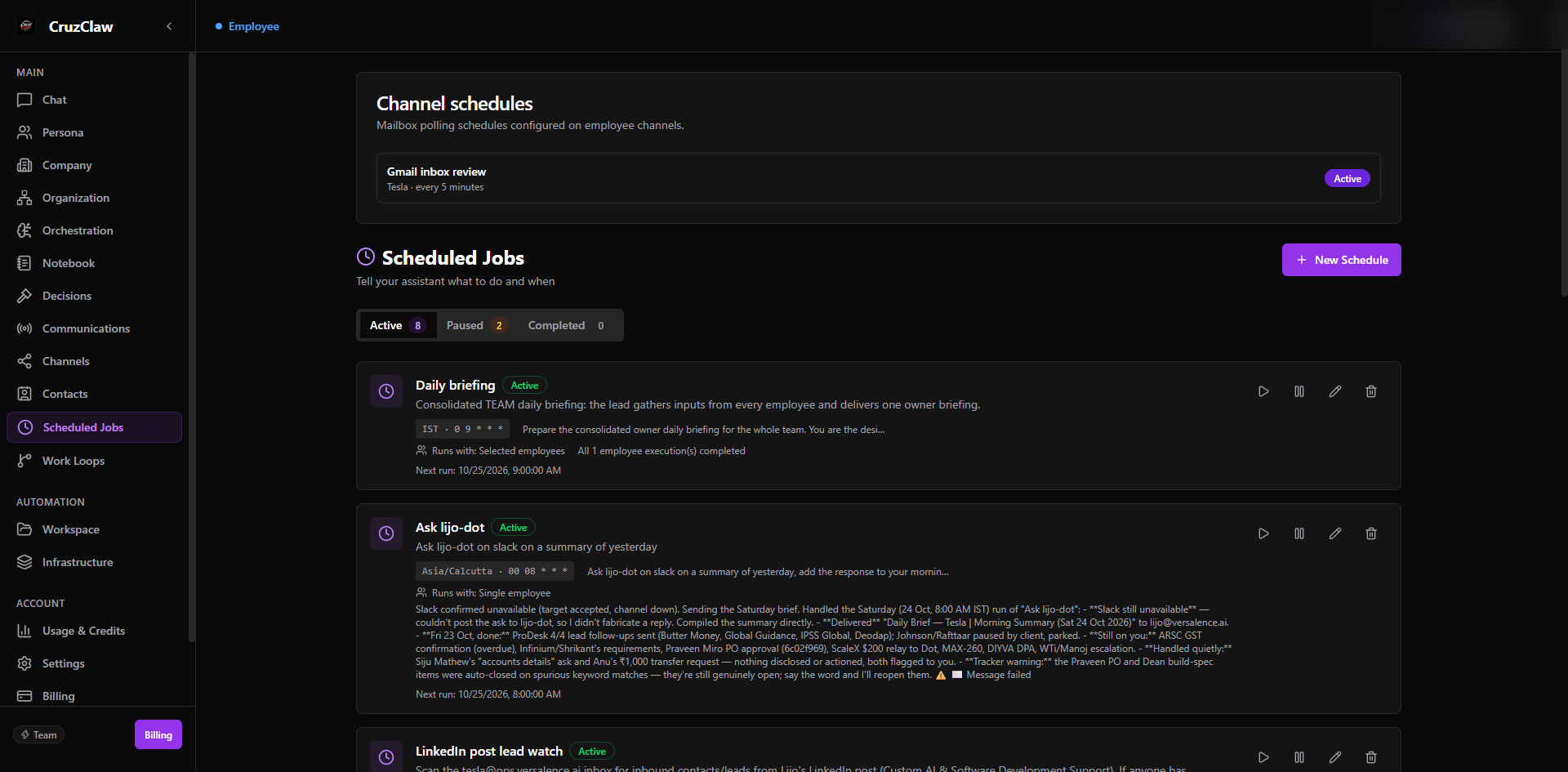
Scheduled Jobs is the visible list of everything your employees run on a timetable: “Tell your assistant what to do and when.” Jobs created here also appear in this dashboard list no matter which surface created them.
What you see
- Active, Paused, and Completed tabs with counts.
- A card per job: name, schedule (timezone and cron expression), the instruction it runs, which employee it runs with, the next run time, and the last run result: including Last run failed and Partial completion banners.
- A Channel schedules card listing mailbox polling schedules configured on employee channels.
Typical actions
- New Schedule: give it a name and description, pick when it runs (every hour, every day, weekdays, weekly, or an advanced expression, with day and timezone options), write what the assistant should do, and choose which employee runs it.
- Run a job immediately, pause and resume it, edit it, or delete it.
Last verified: 2026-10-24 against the shipped codebase.