Channels (Connections)
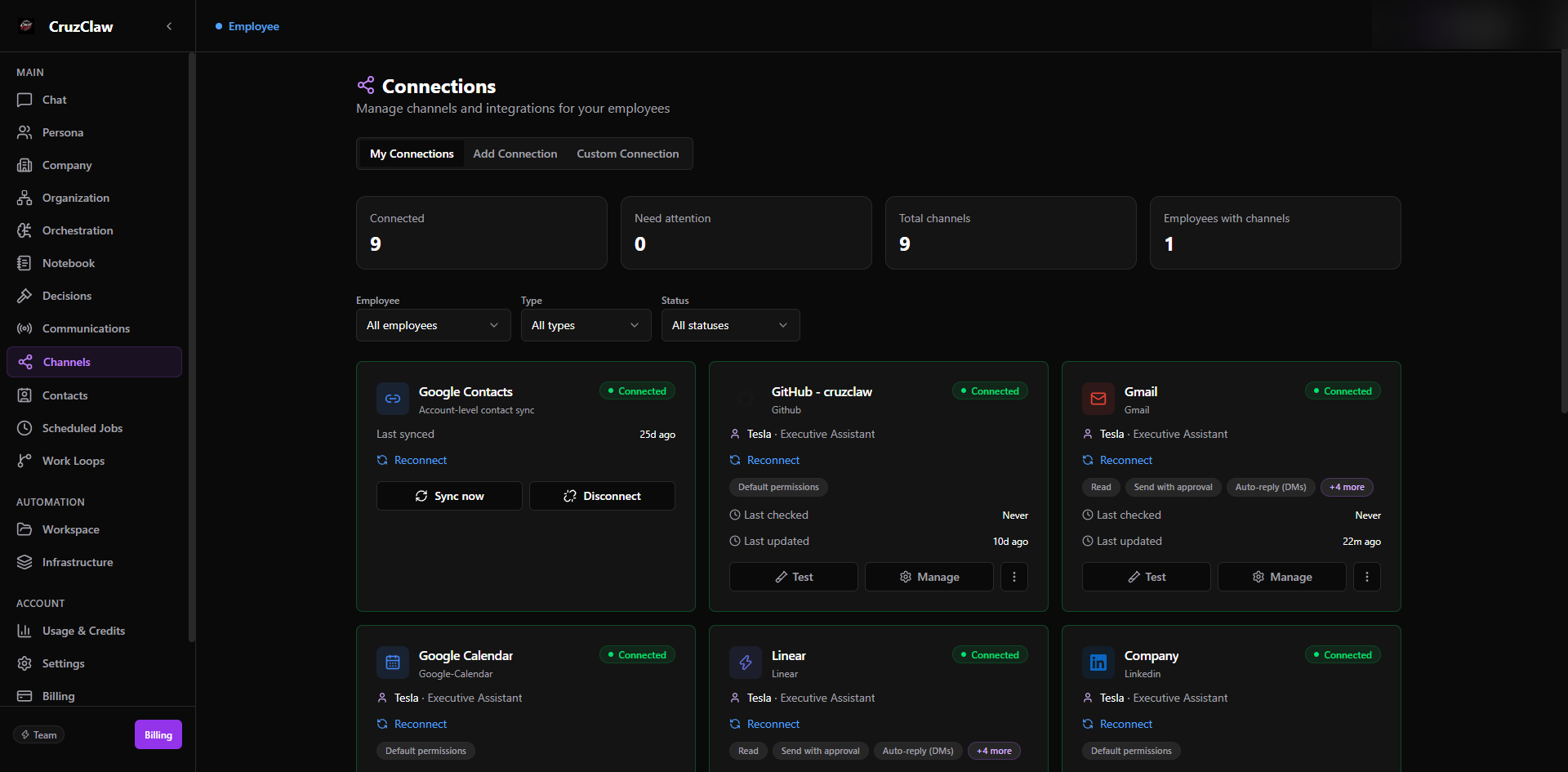
The sidebar calls this area Channels; the page itself is titled Connections: “Manage channels and integrations for your employees.”
What you see
- Stat cards: Connected, Need attention, Total channels, and Employees with channels, with filters for employee, type, and status.
- Three tabs. My Connections lists every channel assigned to an employee. Add Connection shows the catalog: Google Contacts plus channel types from WhatsApp, Slack, and email to calendars, webhooks, and tools like Notion, GitHub, or Linear; some types carry a Pro lock. Custom Connection connects an external system via an API definition or an MCP server.
Typical actions
- Connect a channel through the setup wizard, which assigns it to the right employee.
- Reconnect or clean up a channel flagged Need attention.
- Filter by employee to audit one person’s channels.
Last verified: 2026-10-24 against the shipped codebase.