Billing
Billing is where you manage your subscription: “Manage your subscription and invoices.”
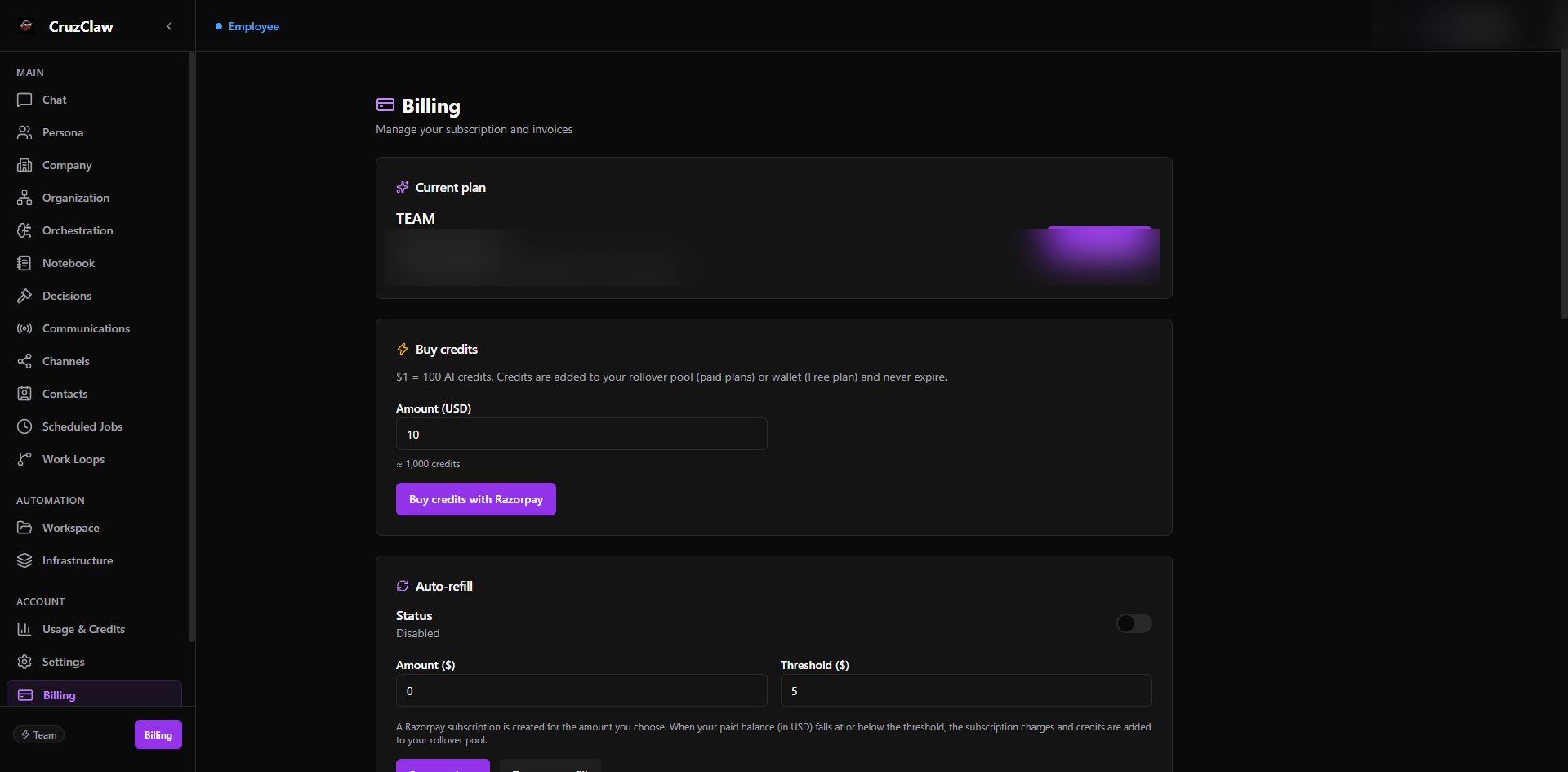
What you see
- A Current plan card: price, status, renewal or payment-due date, and the button that fits your state: upgrade, switch plan, pay now, or renew. Pending upgrades show their activation status, and lifecycle banners warn when payment is due, suspended, or the agent was removed.
- A Buy credits section ($1 ≈ 100 AI credits, paid through the payment provider). Purchased credits land in your rollover pool on paid plans or your wallet on the Free plan and never expire, with your credit purchase history below.
- An Auto-refill section: choose an amount and a low-balance threshold, and a provider subscription tops up your rollover pool automatically whenever your paid balance falls to the threshold.
- Available plans for comparison.
- Invoice history with a PDF download per invoice.
Typical actions
- Upgrade the current employee, switch plans, or renew: early renewal preserves your remaining paid time.
- Top up credits when you are nearing the allowance limit.
- Download an invoice for your records.
If payment lapses, the page and Chat explain exactly what happens to your employee and how to resume.
Last verified: 2026-10-24 against the shipped codebase.