Billing
CruzClaw bills per employee. You pick a plan, every employee you run is billed at that plan’s monthly per-employee price, and each plan includes a monthly credit allowance plus a monthly AI usage cap.
| SOLO | SOLO Pro | TEAM | |
|---|---|---|---|
| Price | $29 / employee / month | $49 / employee / month | $499 / employee / month |
| Employees per account | 1 | 1 | Up to 10 |
| Monthly credits included | 2,000 | 4,000 | 40,000 (one shared pool for the account) |
| Monthly AI usage cap | $20 | $40 | $400 |
| Storage | 20 GB | 40 GB | 80 GB |
| Text model | DeepSeek v4.1 Flash | DeepSeek v4.1 Flash | GPT-5.6 Terra |
| Image / video generation | Not included | Included | Included |
Notes on the table:
- TEAM’s credit pool is flat and shared. The account receives 40,000 credits ($400 at the standard rate) whether it runs 1 employee or 10, and unused monthly TEAM credits expire at the end of the month. Employees draw from the same pool.
- Image and video generation on SOLO Pro and TEAM uses Gemini 2.5 Flash Image and Veo 3.1 respectively.
- The older Free, Starter, and Pro names are retired. They may still appear on old invoices, but they are not sellable and cannot be selected as a plan-change target.
What each plan includes
Section titled “What each plan includes”Beyond the numbers above, plans gate channels, integrations, and team features:
- SOLO and SOLO Pro include the core channels (email, WhatsApp, Google Calendar) and the native channel set (Slack, Discord, Telegram, Signal, iMessage, Microsoft Teams, Google Chat) plus the standard integrations (Linear, GitHub, Notion, Figma, Airtable, Granola, Zoho, LinkedIn, Medium), Google Contacts, and a single employee.
- TEAM adds everything in SOLO/SOLO Pro plus the advanced integration set (Apollo, Attio, HubSpot, GoHighLevel, Superhuman), custom API / webhook / MCP access, advanced workflows, and organizational integrations. It also raises the employee limit to 10.
Credits and usage
Section titled “Credits and usage”- 100 credits = $1. The same rate is used when you buy top-up credits.
- Each employee’s work consumes credits based on the model usage it drives, tracked against your balance in the dashboard.
- The monthly AI usage cap is a second, plan-level ceiling on AI spend for the month, independent of your credit balance.
- If your balance runs low you can top up credits from the dashboard, or enable auto-refill: when your balance falls below a threshold you choose, a monthly top-up of a size you choose is charged automatically.
- Included monthly credits are a monthly allowance. On TEAM, unused monthly pool credits expire at the end of the month.
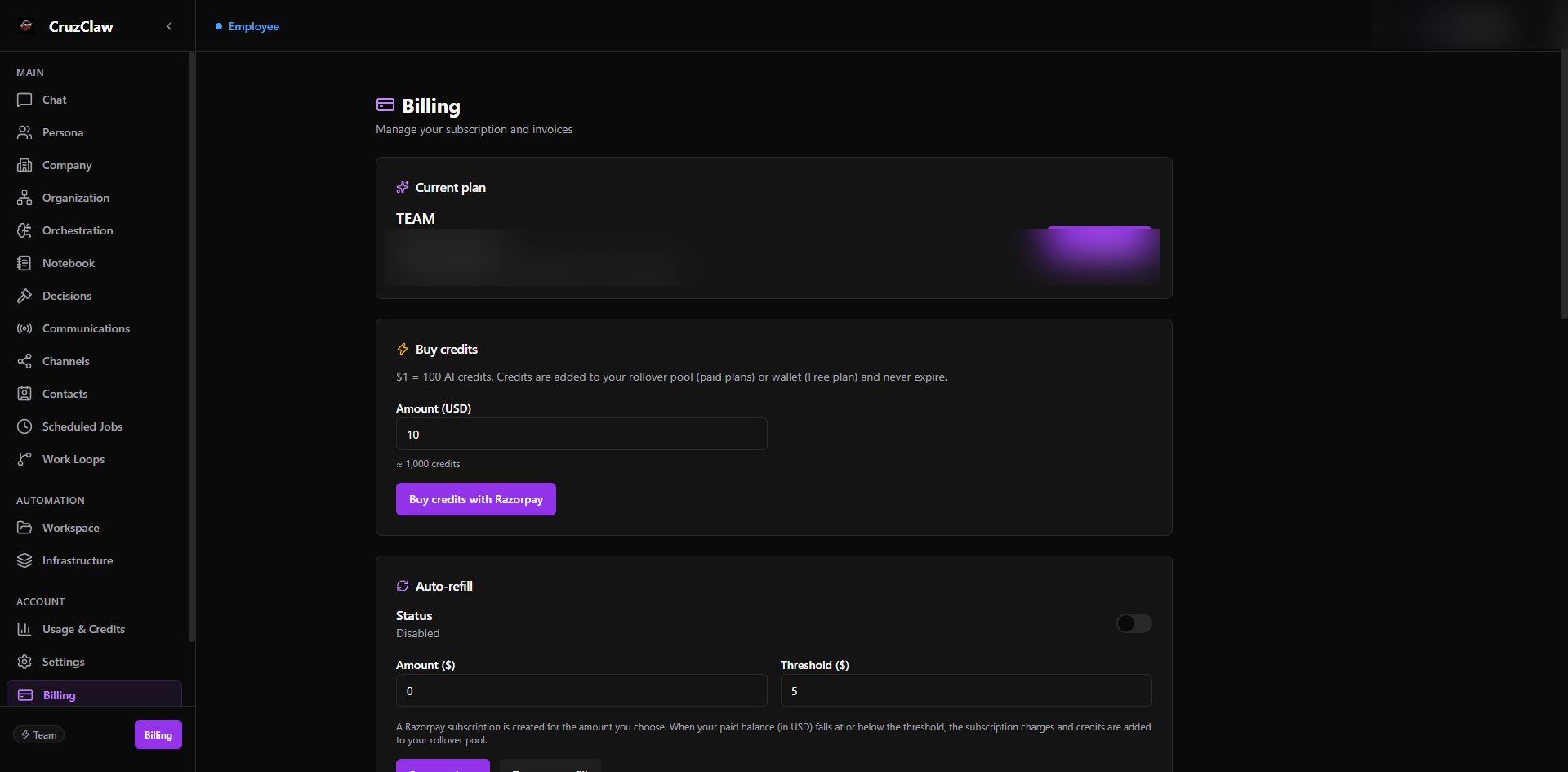
Upgrading and downgrading
Section titled “Upgrading and downgrading”You can change plans from the dashboard’s billing/subscription settings.
- Only the live catalog (SOLO, SOLO Pro, TEAM) can be a plan-change target: retired plans are rejected.
- Plan changes go through your payment provider (Stripe subscription update or Razorpay checkout, depending on how you subscribed).
- Once the change is confirmed, your entitlements follow the new plan: employee limits, channels, integrations, and the managed model-provider key are reconciled to the new plan as part of the change.
For questions about mid-cycle timing for your specific subscription, contact support: the exact effective date depends on the payment provider’s handling of the change.
Invoices
Section titled “Invoices”Every payment produces an invoice you can view from the dashboard’s billing area. Invoices list the line items (for example, per-employee plan charges), the amount, currency, status, and payment reference. Historical invoices from retired plans remain visible for your records.
Billing FAQ
Section titled “Billing FAQ”Am I billed per employee or per account? Per employee. Each employee you run is billed at your plan’s monthly per-employee price; on TEAM the credit pool is shared across all employees even though billing is per employee.
What happens if I use up my monthly credits? Work that would exceed your balance stops being processed until you top up (manually or via auto-refill). The monthly AI usage cap is a separate ceiling enforced regardless of balance.
Do unused credits roll over? Monthly plan allowances are monthly. On TEAM, unused pool credits explicitly expire at month end. Top-up credits you purchase are tracked separately from the monthly allowance.
Can I switch from SOLO to SOLO Pro or TEAM? Yes, plan changes are supported from the dashboard. Only SOLO, SOLO Pro, and TEAM are valid targets; retired plan names cannot be selected.
How do I cancel? Cancellation is available from your subscription settings. You can cancel effective immediately or at the end of the current billing period, depending on the option you choose.
Where do I see what I’ve been charged? In the dashboard’s billing area, which lists every invoice with line items and payment references.
Where can I ask a billing question? Contact support from the dashboard with your account email and we’ll look at the actual subscription state.
Last verified: 2026-10-24 against the shipped codebase.